How to Set Up an Ergonomic Home Office: The Complete Guide for the Discerning Remote Worker
Seven research-backed principles to transform any domestic space into a functional workstation.
Your back hurts. Not all the time. Not enough to see a doctor. Just enough to think about it every evening as you stand up from your chair. You adjust your posture, shift positions, wedge a cushion behind your lower back. And the next day, it starts again.
You are not alone. According to the INRS (France's national occupational health and safety institute), musculoskeletal disorders account for 87% of recognised occupational diseases in France, at an estimated annual cost of 7 billion euros. In 2021, these conditions caused the loss of more than 11 million working days. And since 33% of French employees now work remotely at least once a week, the problem has migrated from the office to the home, where no one checks the height of your screen or the angle of your backrest.
This guide will not sell you a chair. It will give you the ergonomic principles that, applied with rigour, transform any domestic space into a functional workstation. Seven principles, grounded in research, tested in practice.
01. The 90-degree principle
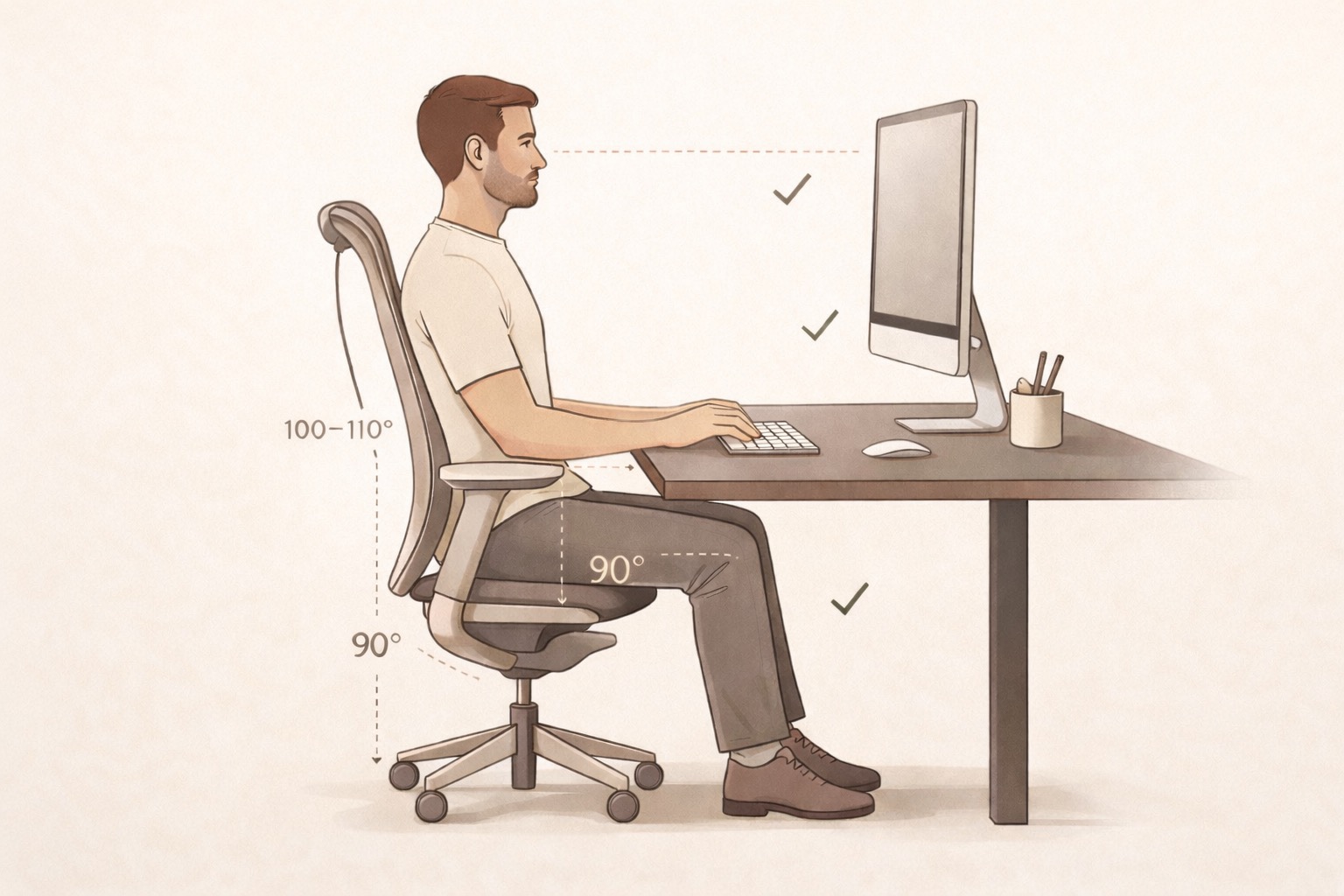
Before discussing accessories, materials, or decoration, we need to talk about angles. Workstation ergonomics rests on a simple geometry: three 90-degree angles.
Your elbows form a right angle when your hands rest on the keyboard. Your knees form a right angle when your feet sit flat on the floor. Your hips form an angle slightly greater than 90 degrees, ideally between 100 and 110 degrees, to maintain the natural curve of the lower back.
This is the reference position. Everything else — desk height, screen placement, chair selection — follows from these three angles. If your current setup does not allow you to achieve all three simultaneously, that is the first problem to solve.
Sit at your desk as it is configured today. Place your hands on the keyboard. Do your shoulders rise toward your ears? Do your wrists bend upward? Do your feet touch the floor without you having to slide forward on the seat? If the answer to any of these questions is yes, your workstation is not properly adjusted.
The good news: correcting these angles costs nothing. A stack of books under the screen. An improvised footrest. A lumbar cushion. The expensive solutions come later, if they come at all. The angles come first.
02. The screen: the visual comfort zone
The position of your monitor determines the posture of your neck. And your neck, in terms of biomechanical fragility, is the weakest link in the chain.
Recommendations converge on three parameters. First, distance: between 50 and 75 cm from your eyes, roughly the length of an outstretched arm. The ISO 9241 standards, which govern the conditions of use for visual display terminals, indicate a range of 40 to 75 cm, with an optimum around 60 cm for a 24- to 27-inch monitor.
Next, height. Research from the Princeton Neuroscience Institute and ergonomist Alan Hedge (Cornell University) agree: the centre of the screen should sit approximately 15 to 18 degrees below the horizontal line of sight. In practice, this means the top of the screen is at eye level or slightly below. A study published in Ergonomics (1998) confirmed that users free to position their screen naturally preferred a viewing angle between 0 and 16 degrees downward, at a distance of 60 to 100 cm.
Finally, tilt. A slight backward tilt (10 to 20 degrees) reduces glare and aligns with the natural downward gaze angle.
Looking upward, even by a few degrees above the horizontal, produces measurable cervical fatigue. Several field studies report that a simple correction of screen height and distance reduces neck and shoulder pain by 20 to 30% within a few weeks — before changing the chair or the desk.
The laptop mistake. Working on a laptop placed flat on a desk is the worst possible ergonomic configuration. The screen is too low (you flex your neck 30 to 45 degrees), too small (you lean forward to read), and the keyboard is attached to the screen (impossible to adjust one without disrupting the other). If you regularly work from home on a laptop, a stand that raises it to eye level combined with an external keyboard is the first investment to make. Not the most expensive. The most effective.
The dual-monitor case. If you use two monitors, the rule changes. If one is your primary screen (used more than 70% of the time), place it directly in front of you with the secondary at a 30-degree angle to the side. If you use both screens equally, position them symmetrically with the junction at the centre of your visual field. The classic mistake: two screens offset to the right, forcing a permanent neck rotation in one direction. After six months, that asymmetry leaves its mark.
03. Seating: the science of lumbar support
There is a stubborn belief that it is enough to "sit up straight" to protect your back. The biomechanical reality is more nuanced. The spine is not a rigid mast; it is an S-shaped structure composed of 33 vertebrae, intervertebral discs, and stabilising muscles. Prolonged sitting tends to flatten this natural curvature, particularly at the level of the lumbar lordosis. The result: increased pressure on the L4-L5 and L5-S1 discs — the two most loaded segments.
The role of an ergonomic chair is not to force you into a military posture. It is to support the lumbar curve so that your muscles do not have to do so constantly.
The adjustments that truly matter number four. First, seat height, which should allow your feet to rest flat while maintaining the 90-degree angle at the knees. Then seat depth: two to three fingers of space between the front edge of the seat and the back of your knees. Next, lumbar support, whose pressure point should correspond to the natural hollow of your lower back, typically 15 to 20 cm above the seat. Finally, armrests, which should allow your elbows to rest without your shoulders rising.
The kitchen chair situation. Let us be honest: many French remote workers work from a dining chair. This is not a foregone conclusion. A lumbar cushion (even a rolled-up towel) partially compensates for the lack of support. A seat cushion reduces pressure. It is imperfect, but it is better than nothing. If you invest in a single piece of furniture, make it the chair. A professional-quality chair with a minimum of four adjustments can be found between 300 and 500 euros. Spread over five years of daily use, that is 20 cents per working day.
What to test before buying. Technical specifications do not tell the whole story. An ergonomic chair should be tried for at least 30 minutes in an actual working posture — not five minutes in a showroom. The criteria to evaluate: does the lumbar support follow the hollow of your back when you lean slightly backward? Does the seat support your thighs without creating pressure behind the knees? Are the armrests adjustable in height and width? Is the tilt mechanism smooth or constrained? French and European manufacturers that offer 30-day trial periods facilitate this evaluation. Do not overlook it.
The budget question. There is a threshold below which savings are paid for in pain. Below 200 euros, the mechanisms are rarely individually adjustable. Between 300 and 600 euros, you gain access to the essential adjustments: height, depth, lumbar, armrests. Above 600 euros, you are paying for material durability, an extended warranty (10 to 15 years), and additional adjustments such as seat tilt or backrest tension. The best quality-to-longevity ratio sits between 350 and 500 euros for a regular remote worker.
04. Lighting: the invisible factor
We talk a great deal about posture. Far less about light. That is a mistake, because lighting affects both visual fatigue and posture: when you squint to read a screen washed out by glare, you lean forward without realising it.
Office lighting rests on three layers. Ambient light, first, which must be sufficient to see the entire room without creating excessive contrast with the screen. The INRS recommends an illuminance level of 300 to 500 lux for screen-based work. For comparison, a typical living room lit by a ceiling fixture produces around 150 to 200 lux — insufficient.
Next, task lighting, which illuminates paper documents or the keyboard without casting glare on the screen. Desk lamps with an articulated arm allow you to direct the light downward and forward, keeping the screen out of the direct beam.
Finally, the management of natural light. Working with a window behind you creates screen reflections. Facing the window, the glare fatigues the eyes. The ideal position places the window to the side, perpendicular to the screen axis. Blinds or sheer curtains allow you to modulate the light input throughout the day.
Studies on circadian rhythms have shown that blue light (5000 K and above) promotes alertness and concentration in the morning, while warm light (2700 to 3000 K) prepares the body for rest in the evening. If your desk lamp has a temperature setting, use it. Otherwise, software filters such as f.lux or Night Shift fulfil part of this function on-screen.
05. Visual order: when the brain works against you
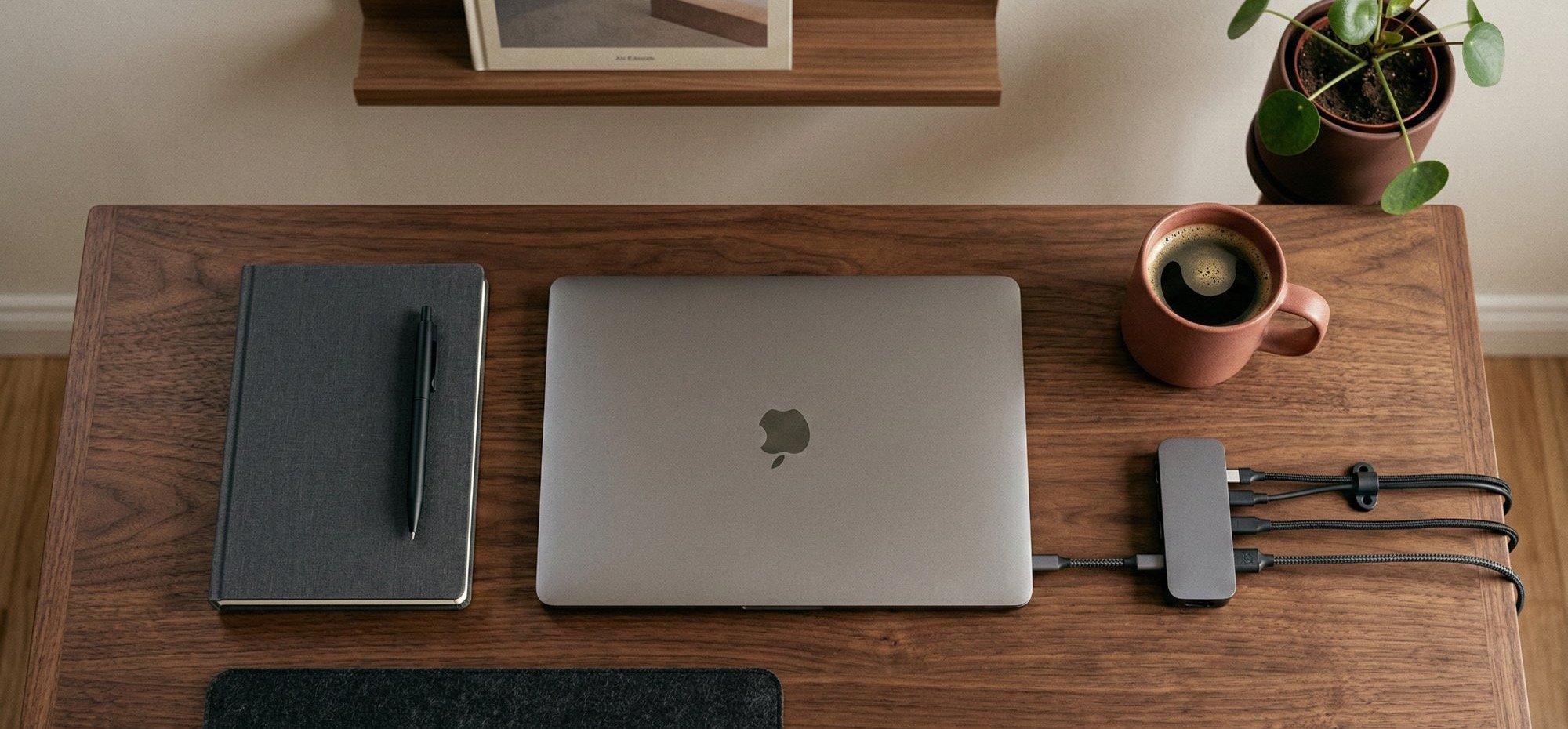
You may already sense intuitively that a tidy desk helps you concentrate. This is not merely intuition. The Princeton Neuroscience Institute demonstrated through functional imaging that visual clutter competes with your visual cortex for attention. The more irrelevant stimuli your visual field contains, the more energy your brain devotes to filtering them out — at the expense of the task at hand.
The consequences are measurable. Researchers at the UCLA Center on Everyday Lives and Families established a direct correlation between household clutter and elevated levels of cortisol, the stress hormone. A study published in Psychological Science (2013) showed that individuals working in orderly environments made healthier choices and demonstrated greater perseverance on cognitive tasks.
Translated into office layout, this yields a few straightforward principles. Anything not used daily should not be visible. Cables, in particular, are a systematically underestimated source of visual pollution. A cable tray fixed beneath the desk is enough to transform the overall impression of the space. Clear work surfaces are not a minimalist aesthetic indulgence — they are a cognitive choice. Every visible object unrelated to your current task costs a fraction of your attention.
Before leaving your workstation, return every object to its place. The next morning, you will begin your day in a space that demands no filtering effort. It is a five-minute ritual whose cumulative effect is considerable.
06. Movement: the perfect posture is the one that changes
There is a paradox in ergonomics: the more you optimise your seated posture, the more likely you are to remain seated too long. Yet prolonged sedentariness is an independent risk factor. The INRS notes that remaining in a static position, even a correct one, increases the risk of circulatory and muscular disorders.
Recent ergonomic research emphasises a point that older guides overlooked: the best posture is the next posture. Alternation takes precedence over static perfection.
The 20-8-2 programme, developed by Cornell University's ergonomics laboratory, proposes a simple rhythm: 20 minutes seated, 8 minutes standing, 2 minutes of movement. It is a ratio, not a strict timer. The idea is to integrate position changes into the flow of work rather than impose them through alarms. You stand to make a coffee, remain standing to read a document, walk during a phone call.
Sit-stand desks are the most direct solution for facilitating this alternation. According to the Observatoire de la santé au travail (2025), employees equipped with a sit-stand workstation report a 32% reduction in perceived fatigue at the end of the day. But a sit-stand desk is neither mandatory nor sufficient. Movement matters more than furniture. Standing up every 30 minutes for 2 minutes of walking produces comparable benefits.
The "permanent standing desk" mistake. Working standing up for eight hours a day is no better than working seated for eight hours a day. Both postures, maintained too long, generate strain. The difference is alternation.
You do not need a fitness programme. Three movements are enough, repeated two to three times a day. First, shoulder circles: ten slow rotations in each direction to release the trapezius muscles. Then cervical extensions: slowly tilt your ear toward your shoulder, hold for 15 seconds on each side. Finally, wrist flexions: arm extended, gently pull your fingers toward you for 15 seconds, then in the opposite direction. Total: 90 seconds.
07. Physical separation: why your office needs a boundary
The final principle is not biomechanical. It is psychological. When your workspace merges with your living space, your brain no longer knows when to work and when to stop. Surveys on remote work in France show that 56% of remote workers report saving more than one hour of commuting time per day — but that gained time is only beneficial if the boundary between work and rest is maintained.
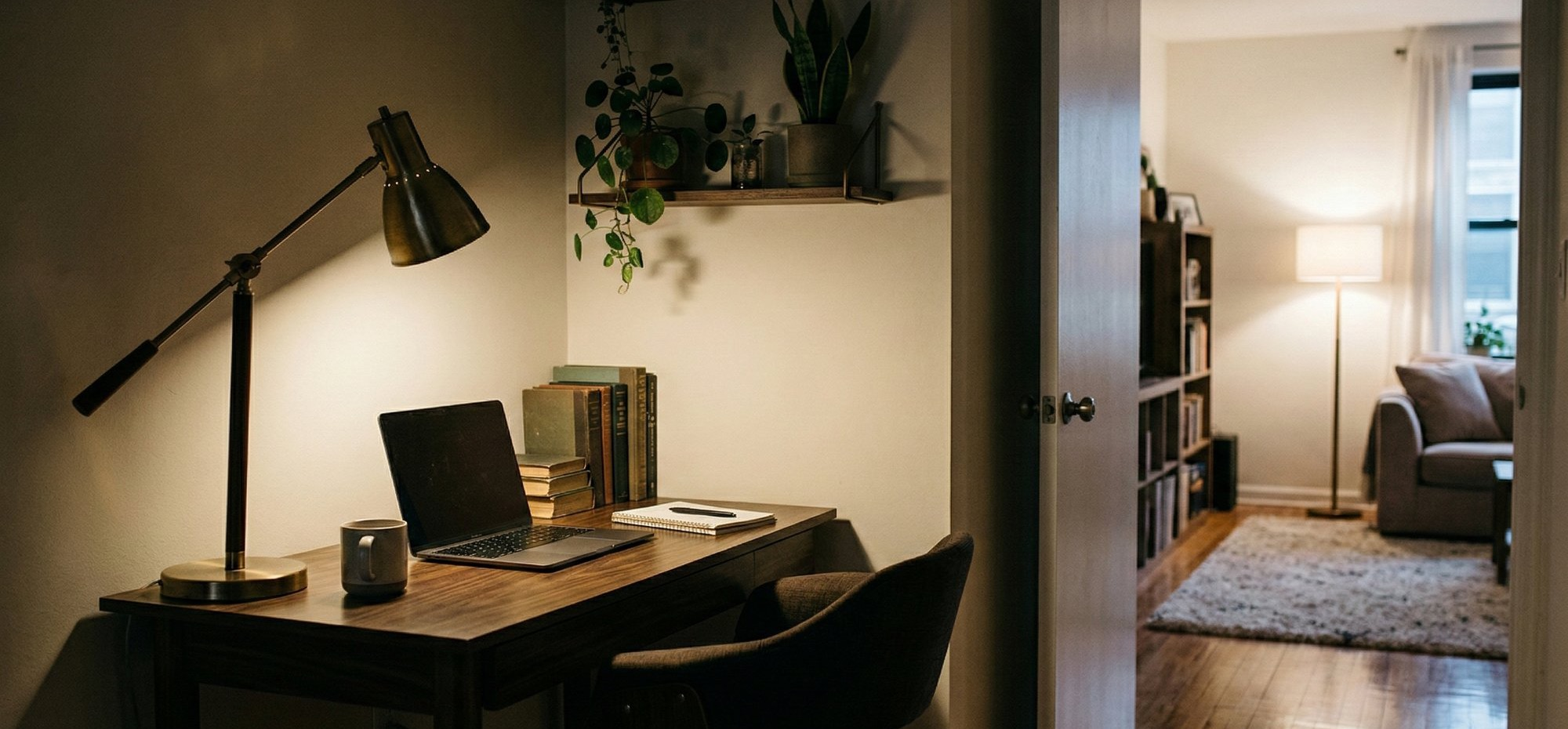
The ideal separation is spatial: a dedicated room, however small, with a door that closes. If that is not possible, the separation can be symbolic. A desk that is put away at the end of the day. A screen that marks the boundary. An opening and closing ritual: switching on the desk lamp in the morning, switching it off in the evening.
The issue is not comfort. It is sustainability. Remote workers who blend living and working spaces report higher levels of chronic stress and greater difficulty disconnecting. Remote work is viable in the long term only if the home remains a place of rest. The desk, even in the middle of the living room, must remain a desk.
Synthesis: the seven principles in practice
These principles do not work in isolation. A perfectly positioned screen does not compensate for a chair that destroys your lumbar spine. Ideal lighting does not offset a desk cluttered with cables and sticky notes. Ergonomics is a system: each element interacts with the others.
If you had to act today, here is the order of priority.
Start by checking your angles (elbows, knees, hips). It is free and immediate. Then adjust the position of your screen: height, distance, tilt. Next, evaluate your seating. After that, tackle lighting and cable management. Integrate movement into your day. And materialise the boundary between your workspace and your living space.
Accessories and furniture come afterwards, to refine a foundation that is already solid. A monitor stand is useless if you do not know at what height to set it. A cable tray serves no purpose if your desk faces a window that blinds you.
For a complete ergonomic home workstation, budget between 500 and 1,200 euros. This covers a proper chair (350-500 euros), a monitor stand or articulated arm (30-80 euros), an external keyboard and mouse (50-150 euros), a desk lamp with articulated arm (40-100 euros), and a cable tray (15-30 euros). Spread over three years of remote work at two days per week, that is between 1.60 and 3.80 euros per day working from home.
Compared to the average cost of a musculoskeletal disorder to the employer (21,000 euros according to the INRS), the investment is negligible. And your employer may be required to cover it: article L.1222-10 of the Code du travail (French labour code) provides for the reimbursement of costs related to remote work, and URSSAF (France's social security contributions agency) permits a flat-rate allowance of 2.70 euros per remote working day.
Remote work deserves better than a corner of the kitchen table and a screen balanced on a stack of books. But it does not demand an unlimited budget either. It demands rigour, a measure of precision, and the willingness to treat your workspace as a performance tool — not as an accident of your domestic life.
Le Tapis de Bureau Alto — a felt-and-cork work surface that delineates your active zone and protects the desktop. European materials, dimensions designed to accommodate keyboard and mouse without overhanging.
L'Étagère de Bureau Alto — a solid-wood monitor riser that elevates your screen to ergonomic height while freeing storage space beneath. The simplest answer to the 90-degree principle.
INRS, "Musculoskeletal disorders: statistics," inrs.fr
Assurance Maladie, "MSDs: definition and impact," ameli.fr
McMains S. and Kastner S., "Interactions of Top-Down and Bottom-Up Mechanisms in Human Visual Cortex," Journal of Neuroscience, 2011
Vohs K. et al., "Physical Order Produces Healthy Choices, Generosity, and Conventionality," Psychological Science, vol. 24(9), 2013
Jaschinski W. et al., "Preferred position of visual displays relative to the eyes," Ergonomics, vol. 41(7), 1998
UCLA Center on Everyday Lives and Families, study on cortisol and household clutter
ISO 9241, Ergonomic requirements for office work with visual display terminals
Observatoire de la santé au travail, 2025 Report
Cornell University Ergonomics Web, 20-8-2 programme